I have a local project with ~4k images of training to then train a local yolov8 model for object recognition. I manually labeled around 200 imgs, when trying to export using “Yolo with Images” I get hit with the following error:
[Errno 22] Invalid argument: ‘C:\\Users\\ADMINI~1\\AppData\\Local\\Temp\\tmp3rv1djgc\\labels\\?d=Users%5CAdministrator%5CDocuments%5Cd20%5Cd20_color000.txt’
I have been scouring other posts (especially this one - Err22 for COCO/YOLO export ), but i couldn’t find any conclusive help to my issue.
Share your setup!
Label Studio version 1.21.0 through pip installation
Your labeling configuration.
Computer Vision > Object Detection with Bounding Boxes, images are provided from
Cloud Object Storage → Local Files → local directory
Screenshots, videos, logs, or other details that illustrate the problem.
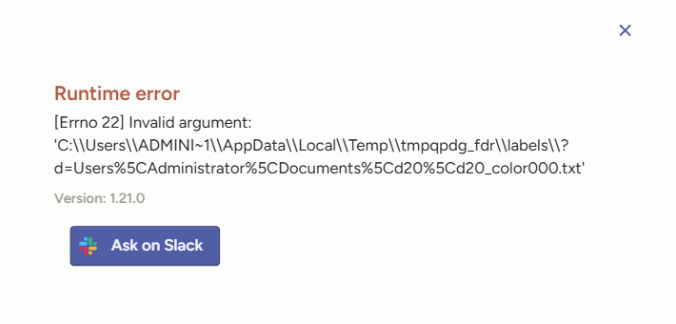
Traceback (most recent call last):
  File "C:\Users\Administrator\AppData\Local\Programs\Python\Python312\Lib\site-packages\rest_framework\views.py", line 506, in dispatch
    response = handler(request, *args, **kwargs)
               ^^^^^^^^^^^^^^^^^^^^^^^^^^^^^^^^^
  File "C:\Users\Administrator\AppData\Local\Programs\Python\Python312\Lib\site-packages\django\utils\decorators.py", line 48, in _wrapper
    return bound_method(*args, **kwargs)
           ^^^^^^^^^^^^^^^^^^^^^^^^^^^^^
  File "C:\Users\Administrator\AppData\Local\Programs\Python\Python312\Lib\site-packages\label_studio\data_export\api.py", line 206, in get
    export_file, content_type, filename = DataExport.generate_export_file(
                                          ^^^^^^^^^^^^^^^^^^^^^^^^^^^^^^^^
  File "C:\Users\Administrator\AppData\Local\Programs\Python\Python312\Lib\site-packages\label_studio\data_export\models.py", line 168, in generate_export_file
    converter.convert(input_json, tmp_dir, output_format, is_dir=False)
  File "C:\Users\Administrator\AppData\Local\Programs\Python\Python312\Lib\site-packages\label_studio_sdk\converter\converter.py", line 266, in convert
    self.convert_to_yolo(
  File "C:\Users\Administrator\AppData\Local\Programs\Python\Python312\Lib\site-packages\label_studio_sdk\converter\converter.py", line 1004, in convert_to_yolo
    categories, category_name_to_id = process_and_save_yolo_annotations(labels, label_path, category_name_to_id, categories, is_obb, is_keypoints, self._schema)
                                      ^^^^^^^^^^^^^^^^^^^^^^^^^^^^^^^^^^^^^^^^^^^^^^^^^^^^^^^^^^^^^^^^^^^^^^^^^^^^^^^^^^^^^^^^^^^^^^^^^^^^^^^^^^^^^^^^^^^^^^^^^^
  File "C:\Users\Administrator\AppData\Local\Programs\Python\Python312\Lib\site-packages\label_studio_sdk\converter\exports\yolo.py", line 141, in process_and_save_yolo_annotations
    with open(label_path, "w") as f:
         ^^^^^^^^^^^^^^^^^^^^^
OSError: [Errno 22] Invalid argument: 'C:\\Users\\ADMINI~1\\AppData\\Local\\Temp\\tmpxezoyr4a\\labels\\?d=Users%5CAdministrator%5CDocuments%5Cd20%5Cd20_color000.txt'
[2025-12-15 14:07:17,888] [django.request::log_response::253] [ERROR] Internal Server Error: /api/projects/4/export
[2025-12-15 14:07:17,888] [django.request::log_response::253] [ERROR] Internal Server Error: /api/projects/4/export
[2025-12-15 14:07:17,894] [django.server::log_message::213] [ERROR] "GET /api/projects/4/export?exportType=YOLO_WITH_IMAGES HTTP/1.1" 500 2506
[2025-12-15 14:07:17,894] [django.server::log_message::213] [ERROR] "GET /api/projects/4/export?exportType=YOLO_WITH_IMAGES HTTP/1.1" 500 2506
I’m not sure if what I provided is enough, I got label studio literally today 